Encrypted files cannot be opened directly from their original folder in Finder. Use the checks below to locate the file in the MediaSeal Volume and open it there.
Troubleshooting Steps
1. Find the mapped folder
In Finder, open the folder that is mapped to MediaSeal. If you are not sure which folder is mapped, check Mapped Directories in the MediaSeal File System window.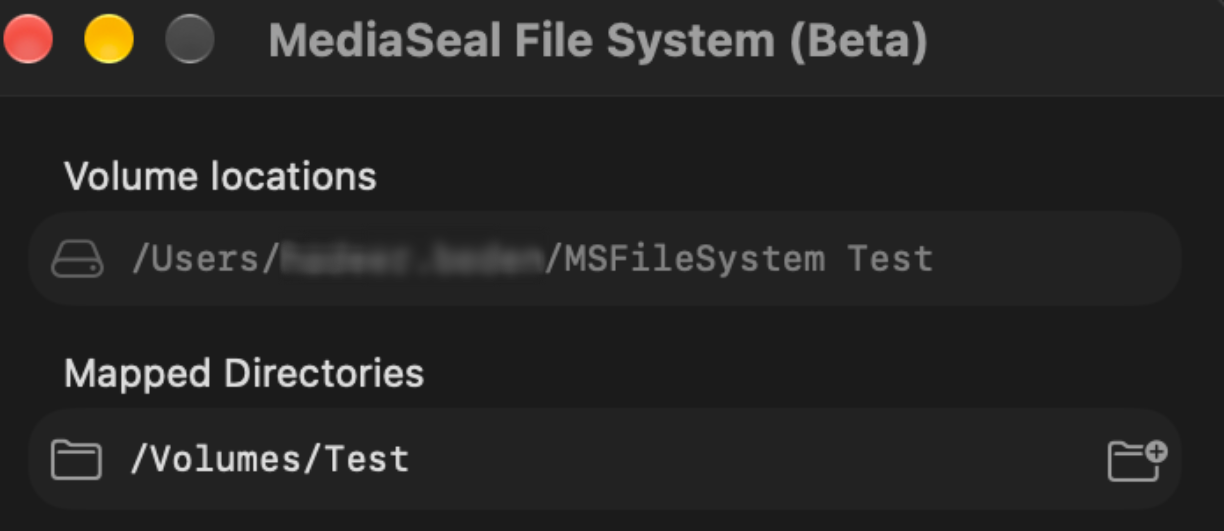
2. Find the file in the MediaSeal Volume
Open the mounted MediaSeal Volume and locate the same file there. Files placed in a mapped folder should appear in the volume.
3. Open it from the volume
Double-click the file in the MediaSeal Volume, or right-click it and choose Open With to select an application.